Welcome

Over the last several years I've been dealing with various stages of disability thanks to ALS. My goal is to share solutions and review various products/tools/devices that I have found particularly helpful.
Showing posts with label dexterity. Show all posts

Wednesday, 11 September 2013

Oh Just Kilt Me Already!

That's right, I've decided to start wearing a kilt around the house. But before we get into talking about that, we need to make one thing clear first…
 

Okay, now that we've established the rules. Kilts are not dresses or skirts and exceptionally manly… Why am I wearing one? (As matter of fact I'm wearing it right now)

Kilts, in the traditional sense are supposed to be worn "commando", and although they are quite comfortable worn in this manner and provide good "air conditioning" its not exactly why I'm wearing one. Due to the illness, and the restricted movements of my arms I started finding it very difficult to go to the washroom on my own. Getting my pants and underwear off was not that big deal (it has become more challenging), but afterwards it's become nearly impossible to put them back on. For months, I would have to shuffle into my room in various states of disrobe, lie down on my bed and perform all sorts of gymnastics to get my pants & underwear back up. Then of course came the chore of doing them back up.

trying it on, fresh out-of-the-box
Of course, if you see my previous post about my status you will no doubt have noticed that I rate the function of my hands and arms in around 15% right now. Because of this, and the fact that I spend large portions of the day on my own, I needed to find a solution that provided a better "access" to prevent "accidents". So far the kilts solution is working out reasonably well. Much easier than dealing with pants and underwear. But the key to this is of course wearing them "commando". It's also for this reason, I wear them around the house only, kind of like pajamas. They are not intended to leave the house.

Sorry folks, a little bit more in the graphic details in this paragraph… Going to the washroom now is much easier. Especially to go pee. Because of the dexterity problems I do have to sit to urinate, this eliminates "accuracy problems". The kilt is very easy to keep out of the way when sitting. However, when I have to "drop the kids off at the pool" its a bit more challenging to make sure the kilt is out of the way. But with a little bit of effort, it is much more manageable then dealing with pants and underwear afterwards. So far I've not had any "misses".

So where do I get mine? I'm wearing a deluxe utility kilt purchased from http://www.utkilts.com/. Not the traditional wool type. A traditional wool kilts would be far too heavy and unmanageable (I used to have one for Halloween costume). The utility kilt is great and has some really cool cargo pockets on either side. There are surprisingly accessible and very easy for me to keep my cell phone in. They come in a variety of designs and colors and are fairly reasonably priced.

Before finding this website, I actually ordered mine from eBay from this company. Consequently I ended up paying a little more than I otherwise would have. If you order directly from http://www.utkilts.com/ it works out to be a little less expensive, saving you about $15. The kilts are shipped by the pound, with a minimum shipping cost of about $30. But adding more than one kills only adds about six dollars to the shipping cost, so if you are serious about wearing a kilt ordering more than one might be in your interest. As a matter of fact as soon as their stock is back in, I am going to be ordering two more deluxe utility kilts.

You can also check out http://www.utilikilts.com/ for more options. These people look to provide very good quality and I believe have been in business longer. They are however significantly more expensive. Don't be confused by the second, they're not the same company as http://www.utkilts.com/ 

Pros:
  • very comfortable
  • price for the kilts is reasonable. Ranging from $50-$80 depending on the design you choose
  • makes "access" for nature's call much easier for me


Cons:
  • you will no doubt have to deal with the jokes of it being a skirt. If this is a real problem I recommend the following kilted T-shirt as well
  • can obviously be a little cold in the winter
  • unfortunately shipping costs are little high here in Canada
  • the fabric is a little bit stiff, even after the first wash. Making him a little bit hard to sit down comfortably and not on a wad of folded fabric
  • pay extra attention to the sizing instructions! This is critical. They are not in size like regular pants
Conclusions:
very happy with the product, find them reasonably priced and work well as adapted clothing. I am buying more :-)

Monday, 29 July 2013

Microphones & Voice Recognition

It's been mentioned about for some time I rely quite heavily on voice recognition functionality to access my computer via Dragon naturally speaking (sometimes the Windows of voice recognition). However I have not discussed the pros and cons of the microphone/headset that I've tried. Some are obviously better than others and this of course changes as my condition deteriorates.

Something I should point out however is the exact nature of my limitations. I've lost almost all the dexterity in my hands and have very little use of my arms. I can scratch my nose, but I can no longer lift my hands/shoulders to place anything on my head.

There are some pros and cons to some of the headsets I've tried:

Wired headsets

Initially, I used wired headsets almost exclusively. However a few months ago there were two major factors that really started to be a problem for me. The first, as my dexterity degenerated it started become more and more difficult to get the headset on in a convenient and comfortable manner. The second, again to do with dexterity is at once that the headset is on, I have to contend with the wire which is often getting wrapped around my leg, falling down (then usually getting squashed under the wheel of my computer chair), getting hung up on the armrest, or otherwise being a pain in the butt.…

Since then, I've moved over to using almost exclusively a wireless headset. Nonetheless, there were some quality headsets and some work much better than others which Dragon NaturallySpeaking.

Rocketfish PS3 Headset 

This is one of the first headsets on tried. And the cost of about $20 Canadian it worked exceptionally well. It has an extremely long USB wire which is intended for the PlayStation 3. E.g. from the couch some distance away. Not really a PC, but functionally it's plug and play. What I find worked exceptionally well but this was the boom for the microphone. It was long enough that it could be placed almost directly in front of your mouth and the foamy part on it was good enough to muscle out the sounds of your breathing. Therefore Dragon's comprehension of your speech was generally very good.

The noise cancellation is so good in fact, that I could actually have music playing softly to my PC speakers (or a game) and the voice recognition would still work very well. This headset was particularly designed for voice communications in gameplay environment, so if you're a gamer. You can pipe the communication audio through your headset and still listen to the game/music through your main speakers.

If my hands didn't make it impossible for me to put this on, this would still be my preferred headset. It's light, secure on your head and reasonably comfortable for longer period of time. However without dexterity, is extremely difficult place and adjust.

Corsair HS1 Gaming Headset

These are an exceptionally good quality gaming headset. It is also USB connection with a rather long wire. There initially given to me because I was having substantial difficulty recording my voice into modeltalker. For some reason, no matter what I tried there seem to be some form of electric hum recorded with my voice. This didn't seem to matter which headset I was using.

That said, these are a little heavy but very comfortable once they're on. Because they have very large over your head ear piece I was able to place them on my desk in such a way I could sort of wedge my head in between the earpieces. Push them into position and him lift my head off of the desk with my headphones roughly in place.

Unfortunately, the microphone is a little far away from my mouth for to work well with Dragon NaturallySpeaking. I find I have to raise my voice quite a bit in order for it comprehend and even then. It doesn't work all that well for voice recognition. The other reason I think why, is even though there is a noise canceling function on the microphone it does not have a piece of foam over the microphone. Consequently the records more of your breathing and other undesired noises.

If you are using it just for gaming however, the audio quality through the headset is exceptionally good and your teammates should hear you talking to problem. The driver software also comes with a bunch of other tweaks that you can play with to modulate your voice and have all sorts of fun effects. My three-year-old particularly enjoys it rerecord his voice and make him sound like a cartoon character or a Dragon. ;-)

Again, I had to discontinue usage of these because of my dexterity limitations and fighting with the wire. There are however the heaviest of all the headphones I used and because of this, the but the progressive atrophy I doubt that I would be able to use them now for any length of time

This microphone retails for about C$100.

Wireless headsets

To be fair, I did not initially purchased these for use with my PC. I found that when I was out for my IVIG treatments which would last several hours, I would like to music listen to. Dealing with wired headsets with tiny little earbuds was nearly impossible. So I went looking for a set of Bluetooth headphones and found these. I found a retail for around $80-$100 in store. However with a little bit of online shopping, I found a pair on sale from Amazon for about $50 Canadian. And I have to say, I'm very pleased with the purchase and use them very regularly.

Although doesn't look it, once they are on they are extremely comfortable. The way almost nothing and is very easy to forget where. The battery life is extremely good and last seven or more hours of continual usage. As a matter of fact I would routinely leave the house for my IVIG appointment at 7 o'clock in the morning, start the music. Hardly ever stop it and be back home somewhere between one and 2 PM with plenty of battery life to spare.

The audio quality is very good, they do have mild noise cancellation which helps promote the clarity of which are listening to. That however are not designed to block out the sound of the outside world. You can still hear what's going on quite well, but the music or whatever you listen to is extremely clear. This also applies to receiving phone calls.

The built-in microphone is okay. I've been told I sound a little bit like I'm talking into a beer can when using. But other than that the audio quality is acceptable for the listener. I have tried the microphone with Dragon NaturallySpeaking on my PC. Well good enough for conversation, Dragon has substantial difficulty in understanding what I'm saying. Microphone is too far from my mouth and there seems to be too much noise detected.

So if you're in the market should be able to wear a pair of headphones almost all day, making phone calls with it and listen to music. These are very good purchase. Just don't expect to use Dragon NaturallySpeaking…

Oh, sure. My disability makes it impossible for me to put on by myself. However once they are on, I can forget that they are there and use them almost normally as anyone else would. And although it has happened, I rarely have to ask for help to put them back.

One neat little feature I have set up at home, is my raspberry pi Siri proxy home automation system. What's great, is that wearing these headphones as I approach my house once my iPhone (jail broken) detects my wireless network, it turns on hands-free mode (opens the microphone on the headset) and listen for a keyword to activate. All I have to do is say the keyword, verbally command my door to open and it unlocked. Wearing the headphones improves the voice recognition of my Siri proxy as I don't have to go fishing for my iPhone.

All in all, for me this is worth the price of admission.

Logitech BH870 - Bluetooth

This headset is now hard most commonly use voice recognition with my PC. I found it on TigerDirect at a reduced price for about C$30. At the time down from about C$110. Quite the deal, so I thought it was worth a try.

They have since reduced the price to about C$35.

All in all, from a comprehension standpoint it works quite well. Almost as well as the PlayStation three I heard headset. I do however find using this headset, Dragon comprehension seems to be a little bit slower than it otherwise would be. But I find if I slow down my rate of speech, it manages reasonably well.

The headset does have a noise canceling function, but it does seem to be consistently transmitting some form of noise to my PC. The Dragon icon frequently shows that it's processing. Even when I'm not detecting any noise myself in the environment. I most certainly cannot use this headset while gaming or playing music.

Even with my dexterity limitations, I'm still able to get this ear piece on by myself. It is a little bit tricky, but I am able to do so. One of my pet peeves about your pieces of this nature is they tend to wiggle the mirror hanging from your ear. This drives me nuts. This particular headset is reasonably secure, but still have that annoying wiggle when I move. Because of this, it also tends to pick up a scratching noise from my beard. That said, because of my dexterity issues still I'm not very comfortable wearing this headset out of the house. I prefer the backbeat headphones. They feel much more secure to me.

One nice feature I like about them, is that I compare the headset to both the USB dongle it comes with for my PC and my iPhone at the same time. So for making phone calls, this is great…I recently found an unlimited usage phone plan for my iPhone. This is great, as my phone is much easier for me to manipulate a regular phone.

And because this your pieces intended to be used with the PC, it will naturally integrate itself with a soft phone such as Skype. I've used it for Skype a couple times now. The call quality has been very good.

It comes with a bunch of headset options Such as different earpieces and in over the headband. This is great if you could be using a prolonged periods of time or if you have a larger/smaller earlobe. He viewed a few options. The one silly thing I find about it is discharging unit. It is very tight to slide the earpiece in and out of the charger. I can still do it, but it's getting increasingly difficult.

The battery will last several hours.

So far this is among the best options I have found using voice recognition wirelessly on my PC.
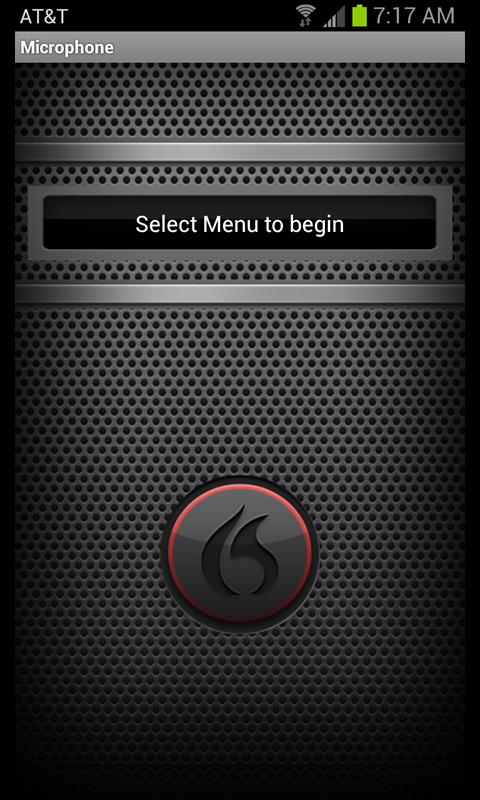
This is a free app available from the iTunes App Store and I know that android offers a similar app.

This app is a very pleasant surprise. It works extremely well and comprehending your speech indicating the commands to your computer. I've tried it even just sitting it on my desktop and talking added. Not even having it that close to my mouth. Again the comprehension was exceptional. I would say, by far the best of anything I've tried. That said however, it is unlikely it would work nearly as well if there is music playing or if your gaming. I've not tried either of these situations as I don't expect it to work.

Dragon microphone connects to your PC through your Wi-Fi interface. Not Bluetooth. You don't need any additional dongle or Bluetooth functionality on your PC. Just your Wi-Fi enabled router. Set up was extremely simple. Simply create a profile… Start the app… And that's about it.Upgrading from my 3GS to my iPhone 5 was even easier. Simply had to install the app on my iPhone. No profile update or anything.

The only annoying feature I have found is that if you have the power save mode on your iPhone to turn the screen off. Then it also turns off the voice recording of the app. Making you have to press the home button and unlock the screen once again. This can be rather annoying… Especially with dexterity limitations.

That said, it's something that you can turn off when the iPhone's general settings. But once again, annoying.

Especially for the price, this is really good way to go and it could well fit better with some of your dexterity limitations that does mine. So if you are running Dragon dictation and are looking for a wireless microphone, iPhone or android this is definitely worth trying before investing any money.

Conclusions?

My preferences really depend on what I'm doing. Anything to do with my PC I use the Logitech hands-free headset. It works very well and is reasonably priced. But as I mentioned, I'm not very comfortable wearing it out of house.

For general usage with my iPhone, especially when I'm out the back beat 903+ headphones are by far my preferred choice. Excellent sound quality, extremely comfortable and works quite well with Siri, but not so hot with Dragon NaturallySpeaking…




Friday, 19 July 2013

Reading without thumbs

It's been a long time now since my hands have let me hold on to anything. Papers are particularly a problem, and I can forget books. However I do want to keep up on my literature from time to time. I particularly enjoyed reading on my iPad. I have an iPad three, with the retina display which makes the reading experience really quite enjoyable. Sure, I can't use all of the features that easily anymore, but I can still tell the reader to scroll and or turn the page.

For a while I used a folding cover for in this worked okay for a while. But where I'm at now, this is extremely awkward to get set up and sometimes a pain in the butt to keep his position.

A while back, a friend of mine posted a picture of himself using something from the Apple store called a hover bar. This is essentially a flexible bar that you clamped to your table with a flexible arm which is about 2 feet long. Your iPad snaps into this, you bend it into position and it holds itself up right.

I thought this was quite a neat idea worth trying. They were however asking C$80 for it, which seemed a little bit much. So I decided to try an exact copy of it I found on Amazon.com for about $50 called a GMYLE® Black 360º One-way Clamp Adjustable Arm Stand . The only difference that I could tell was in the clamping mechanism. As opposed to using an Allen key, it has a built in arm to turn a screw on clamp.

I'm reasonably pleased with the purchase, I am however trying to figure out how to make the best use of it. Not quite worked out all the kinks yet. Is what works and what doesn't:

awesomeness:
  • hold the iPad in position as advertised
  • makes it possible to read fairly comfortably.
  • Will support nearly unlimited positions and orientations
  • you can clamp it just about anywhere (even a hospital bed if need be)
not quite so awesome:
  • as my arms and hands are extremely weak, it can be very difficult to reposition.
  • The ball joint on the back can be a little loose, causing the iPad pitch down out of position.
  • once my iPad is clipped, there's absolutely no way I can get it out myself
Little bit of both:
  • depending on what I'm doing, it can make it easier to access certain features or parts of the screen or more difficult. For example reading iBooks or magazine once it's open is much easier. However maybe pushing the "library" button within ibooks might be more difficult to reach.
All in all, I'm reasonably pleased with it. I don't know if I would have been quite as happy if I had purchased the $80 version and had the same difficulties with it. But for $50 it feels like money well spent and does help me keep reading and very pleasant format. The iPad is great for reading a wide variety of formats… I'm particularly enjoying the walking dead graphic novels and popular science magazines from the newsstand. Unfortunately it's not helping me get back into playing even some of the simpler games I have to pass the time (Magic the gathering on iPad is great).

final verdict?
Not totally sure… Thumbs up or thumbs down.
Honestly, little bit of both.
I had however hoped it would worked with Griffin Beacon as my remote. While it communicates fine, it doesn't help me with the ease of access. I still prefer to go back to my iPhone that.

It will however be a great set up for videos and Netflix.

So all in all, I have to admit I'm not totally sure if it's a 100% thumbs-up or thumbs down. It solves some problems but incurs a few others. So I'll say this, if you have the spare cash it's worth a try. I do enjoy being able to comfortably read again, and not being tethered to my PC to do so… So I guess that's a little more of that thumbs-up.

Thursday, 16 May 2013

Accessible Plates


One of the projects I've been working on for some time with my occupational therapist was to find some decent plates that worked well for me. This has, surprisingly been far more difficult than one would've expected.

Stay still dammit! I'm trying to eat!
Sure, there is an entire world of disability/accessible plates and bowls. But finding good ones that I liked was not easy. Most of what's out there is either small, made of plastic or not that beneficial and really makes me feel disabled. I still have a very healthy appetite and eat a large portion, so small plates don't work for me. Plastic plates are light and the slide all over the place and I already have enough problems trying to get food in my face. I don't need to chase it down anymore than I already do.

Probably about a year ago when we first started looking at better plates and bowls for me, my occupational therapist gave me a couple samples to try. One that particularly liked was steelite plate. So after using this plate for a few months and having increasing difficulties with regular plates, I decided that I would like to get some more of these plates rather than just one. I asked my occupational therapist for more.She told me that the only had one on hand, and couldn't remember where it came from. Nonetheless I said these are the ones I wanted.

Over the course of several months I was repeatedly told that she was unable to find them and that they were likely discontinued. So one day about two months ago she when asked about the progress on the plates, she explains this again and she says that she will keep looking on her side but that I could also go try a few stores but that she would need a moment to call one of her colleagues to get the names of the stores.

"No problem I say" after all I expect the names of specialty.

She makes a phone call to her coworker speech from in order to and comes back with a list of stores. I wait patiently while she's on the phone, she comes back with:  Bowering, Sears, the Bay, the linen chest, Stokes and of course… Canadian tire. Yes, you read that right. A list of the most common places to buy plates in Canada, possibly even North America.

While I stare at her for a moment completely dumbfounded she grabs a piece of paper and proceeds to write the stores down for me. Okay, now she's insulting my intelligence. I honestly felt like I'd walked into a specialty bookstore asked for the first edition copy of Don Quixote and the reply is "have you tried the public library?" I come to see these experts in the hopes that they have access to resources that I do not have in order to expedite the process in acquiring the adaptations and devices that they need.

Not to mention that having ALS means I don't have the mobility, energy nor time to race all over town to track this down myself. It was my understanding that's why we have an occupational therapist as rehabilitation facility.

AAAAAANYWAY… Enough venting about that.

This frustration sent me on an intranet quest. Through the appropriate use of Google I was able to quickly find a few suppliers. The first ones were unfortunately all in the UK and Europe. They were willing to ship to me in order, but because of the distances involved the order would've had to be a little larger than I had hoped and the shipping costs were, well. Expensive. Here's a couple of the links I found:
Through a few more manipulations of Google, I contacted the North American steelite supplier, a gentleman named Gary who was extremely kind and helpful. They went on to explain that these plates are not available through the distributor as individual units. However they can be ordered by the case. It turns out a case is not terribly unreasonable, especially if you can share the order with someone. The plates come in two sizes. 8 1/2 inch and 10 a quarter inch.

Through discussions with the distributor, here's what I was able to acquire:


What I particularly like about these plates is that they are ceramic like any other plate. Because of this I don't feel like I'm using specialty plates that often. They're heavy and durable. From what I understand they were actually intended for old age homes. They have a nice gently curved been raised age that's not too high and works very well for helping push the food back onto your fork or spoon.

At first, I wasn't sure I'd find a whole bunch of benefit to having plates of different sizes. But I actually do. Some meals are much easier to manage and the smaller plate. For example when eating pasta, I'm less likely to drag my knock on us through my food to push up against the far side of the plate.

Also, one of the great things about having plates of different sizes and colors like this is a help immensely with our coping strategy for a three-year-old son. From time to time we take one of the smaller plates for him two years so he can now have a big boy plate "just like dad" we are hoping to take some of the fear out of the situation with this. He is old enough that he starting to ask about questions.

The coffee mug is a great idea as well, having handles on both sides. It weighs about the same as any other coffee cup, but unfortunately due to the specifics of how my hands are starting to flatten out and deform this cup is proving not be as beneficial as I had hoped. I will say however it is easier for me to transfer coffee from the kitchen to where I sit. Unfortunately it's not really much easier to drink from for me. Mind you that's about the same for any cup these days, I'm having to use a straw a lot.
Yup! Great product.

On the whole, I'm very pleased with these plates and the cup. They're the best thing I found for me to date. There are little bit hard to come by, but worth the effort. You can contact the gentleman who helped me here Gary gbennington@steelite-canada.com or you can go through their corporate site which is where I started.

You can view the whole line of the Rio steelite products here in their brochure.

Monday, 29 April 2013

Help with the Dental Hygiene

but Elmo has no teeth?
These days it's becoming a bit of a challenge to brush my teeth. I've long since moved over to an electric toothbrush, but to get in the toothpaste onto the brush has become quite an adventure.

Whatever usually do is rest the toothpaste on the counter place my left hand on the to, and try to line up the toothbrush with my right hand and then squish it… Hoping it wouldn't get everywhere. It turned into quite a balancing act. Backspace and this was getting even more difficult as the to both Tuesdays with getting down to about half full.

So started to look around online for an automatic toothpaste
dispenser. Finding one was actually pretty easy. There are several types to choose from on Amazon. But I found a pretty good one for around about C$15. Unfortunately, this particular project does not seem to have a specific name in the boxes shipped in is all written in Korean. That said, you should double to find this particular item (left) pretty easily.
Yep, I'm not the
only one drooling…

The toothpaste dispenser is designed to attach to the wall/mirror using 3M double-sided tape. This works okay, but in my case I have a bunch of little glass tiles where I've mounted it and sticks less well to those. Probably also because my three-year-old likes to pull it off the wall…

Anyway, is designed to work by screwing in your tube of toothpaste from the top and is a little lever in the whole that you push with toothbrush. This squeezes the tube of toothpaste and opens a valve dropping a portion of toothpaste (hopefully) on the brush. The first week or two, this didn't work out too terribly well. I found the amount of toothpaste delivered insufficient and often it was quite messy. In part because the toothpaste was either not dropping properly or because of my shaky hands would dump it all of the dispenser.

However, I seem to have gotten the hang of it… I guess there is apparently a bit of a technique for people with shaky hands and is working quite well right now. It does however still create a little bit of a mess.

Me and my boy!
… No, not really…
Also, if your hands are about as functional as mine. Meaning you have difficulty holding her hands up, I found that sticking it to the wall, flush to the counter works quite well. This makes it easy for me to use both hands, sliding them first the dispenser. This also makes it much easier for me to press the lever at the back of the dispenser. Thus getting a more appropriate amount of toothpaste. This also stabilizes the shakiness of my hands, so I make less of a mess.

Pro:

  • much easier than the toothpaste tube/toothbrush balancing act
  • reasonably well controlled portion of toothpaste
Con:
  • can be a bit messy
  • double-sided tape can wear out and limit what you can stick it to. My options were the glass tiled wall or the Wood Cabinet. I'm pretty sure it would've ruined that
Cost: I paid about C$15 with shipping. Pretty good price.

You can check out an example of it in action here. This is just an example I found on YouTube, this is not my house ;-) Honestly though, given the cost it's really well worth the try.

Thursday, 7 March 2013

My New Spoon

It's been an ongoing project for me for a long time now to figure out better ways of getting food from my plate into my face hole. Fortunately, chewing and swallowing it is not a problem for me yet. But getting the food there often is.

This is where caused many explorations into more accessible plates and utensils. Some of which work better than others. Some of which only work for a period of time. I've gone through lots of different cutlery by now and what is commonly accessible to the disabled doesn't really seem to be suiting my correct at this point in time. They seem to be either too large, unbalanced or otherwise unwieldy…

the people at my rehab facility had said they'd never seen
or thought of a design like this
So I've created my own adaptation to a spoon. Check it out:

This spoon is a fairly typical handy accessible spoon which was provided to me by my rehabilitation facility. You can't see it very well and the image that it does have a curve to the left, intended for a right-handed user. Making it easier to get the food in your mouth.

We've modified it by sending down the thickness of the handle quite substantially and by adding the two rings that you can see in the picture. These two rings are simply riveted in place a little loosely allowing me to position them for best alignment to my fingers. We've also added a little soft tape on the inside to just help with spacing. This is a prototype and we are still working out some of the details like where exactly to place the rings. That said, this spoon seems work the best for me at this point in time.

say hello to my new spoon
The rings are something you would find in any hardware store. I believe that intended to hold small pipes in place during construction these modifications were made for me by my rehabilitation facility.Over my next few visits to my rehabilitation facility, we will make a few tweaks to this prototype. But I think it will stay pretty much like this. Right now the rings need to be repositioned a little bit and possibly a little bit of a groove to better hold my index finger in place. But other than that, this is working fairly well.

As for other cutlery, the next step is to see how well this works for a fork. Knives are out of the question for me. I require both hands to maintain the spoon study and get into my face.

On a side note, having a disability friendly plate helps immensely. One with a raised edge helps to push the food onto your fork or spoon. I wouldn't say it's required, but it does help prevent the food on your plate for making a break for it.

And, just for some fun. You can see the whole "Rejected" video here: Rejected

Stupid, yes. Funny, even more so ;-)

Monday, 28 January 2013

Punch Winter in the Face

This is a little something I actually should have written about last year...

There's no doubt that winter can really cramp your style and encourage a healthy dose of cabin fever. But, from time to time you will still have to get out of the house and in the deep cold, that can be treacherous to say the least. In my case, if my hands get cold which can very easily happen and happen quickly. I lose whatever remaining dexterity I have. My hands ball up into little claws and I can no longer do things like turning doorknobs.

But that's not really even the worst of it. Snow and ice is notoriously difficult to walk on, especially for those with balance issues. So last year I was still using my walking cane which we discussed back in "finding a good shillelagh". But in winter holding onto the cane can be a real problem.

my hands are starting to take this shape
Regular gloves don't provide the wants to each finger and to be a real pain in the butt to get on as my fingers are starting to claw inwards. I can no longer straighten them.

Mittens are even worse. Yes they are warmer, but does nothing to keep my fingers from rolling into the palm and the mitten seems to actually help keep my fingers rolled towards the palm. Very warm, but my hand becomes functional only as a club. I can't grab hold anything at all. What little remaining dexterity I had is now completely gone.

This led me on a quest to find technical climbing gloves. Also known as three fingered mittens.These are literally a cross between gloves and mittens.


MEN'S HIGHCAMP 3-FINGER MITTS
These were rather difficult to find. Most retail stores don't carry them, they're more of a specialty item. What's great about these is that they allow you to keep just enough dexterity to better hold onto your cane. As you saw in the previous article about finding a good shillelagh  I had a T-shaped handle and this was extremely difficult to hold onto mitten's as I couldn't get my index finger to the opposite side of the shaft of the cane. Gloves were no better as they were big and bulky.

The ones I found were by OR and made from PrimaLoft. Making them extremely warm And the fact that the index finger is free means I can properly grab and hold my cane.

The nice thing about it as well as if I am ever outside without my cane, I'm not obligated to put my index finger in its own pocket. I can keep it with the rest of my fingers and wear them like a regular mitten. As a matter of fact, we had a cold snap last week were dropped to -40°C with the windchill. We unfortunately had to walk a fair way away to get to our Jeep and there's no way my hands were very warm by the time I got there as I can't access my coat pockets. Not to mention that if I happen to slip with my hands in my pockets, I have no way of protecting myself and a fall.

So this is exactly what I did. It worked out great. Got there with toasty warm hands.


Unfortunately, since last year have had some changes in my hands which makes holding a cane near impossible for me anyway. I can no longer fully close my hand properly, several tendons have constricted. But even so, these are very good quality mittens and I still use them as required. That said, these are well worth looking into as an alternative. Especially if you are still walking with a cane or other walking aid and need to go out in the blistering cold.

Pro:

  • great alternative to gloves or Mitt's
  • primaloft is very warm
  • much better for grabbing a T-shaped cane
Con:
  • hard-to-find. Not in most retail stores.
  • A bit expensive for gloves at about $100 Canadian. They do however come with a lifetime guarantee
Cost: about C$100


Tuesday, 11 December 2012

Status Update


Its been several months since I posted a status update, it probably little overdue ;-)

Strength and dexterity wise it's been a long slow downward progression from my arms and hands. My hands have become particularly quite weak and I have lost the opposition between my thumb and index finger, I can't really pinch anything anymore. I have some solutions for this for my Grab it pack using was called a snap Dragon buckle. I will post more about these later… Suffice to say, the snapdragon buckles are working great!

My arms and shoulders are also quite weak, I'm no longer able to lift my hands up over my head providing me some interesting challenges for things like washing my hair.

My legs, haven't really seen much change. I do have some balance issues which I say have not really changed, and I still fall down or trip once in a while because of them. They do however suffer from spasticity at night, making getting a restful night rather tricky… Add to that my dog in our bed… And a three-year-old who likes to come visit. It's odd, it only seems to happen at night. It lasts for about half an hour in the morning and then after that they pretty good for most of the day. Getting up out of chairs has become more difficult, but I do think that's more because I shoulders than anything else.

I'm still receiving weekly IVIG treatments, we did go up to 80 g six months to see if it made a difference. I didn't see any benefits so we went back to doing 40 g every week. It's kind and nice to be back on a shorter schedule as opposed to spending about eight hours after Nero. It was never too big of a deal, I always viewed it as my job ;-)

Yesterday I was back at the Neuro for another follow-up, and it looks like I might be in line for a clinical trial. It took a long time the line this up because my condition isn't classic ALS. There were some anomalies which makes me a less desirable candidate for trials. But it looks like there's one in line so, fingers crossed!

And hooray for experimental drugs!

I'll try to make it a point from time to time to post a little something about how the trial is going and if the drug is having any positive effects.

Thursday, 15 November 2012

metal wallet


I've been meaning to write about this wallet for some time, but somehow it keeps getting put on the back burner.

Anyway before I discovered the clinch wallet, this accordion style metal while it was suggested to me to help me access my credit cards. In short, my traditional folding leather wallet credit cards were sticking and becoming very difficult to get out. This as seen on TV metal wallet put open a fan and allow the cards to sit rather loosely.

In theory this was a good idea, but in practice it didn't really work out so well. As I was losing considerable dexterity and pinch strength between my index finger and thumb, the wallet which is closed by a little plastic clasp became very difficult open and surprisingly, due to the loss of dexterity it wasn't it easy to access all of my cards as we hoped it would. In particular the ones on the outside near the metal covers. Those were very difficult to get out.

Not mentioned, the idea of having the cards loose makes it easier to pull them out once you have a hold of him but if you happen to drop the wallet (which happened to me in the checkout line) the wallet kind of explodes when it hits the ground and now you got 10 or 15 cards scattered all over the place. Needless to say with dexterity problems this is a real pain in the butt…

By itself I found the aluminum wallet was insufficient to replace my regular wallet completely. Consequently I found myself carrying another item to organize my stuff. A regular wallet would carry my cash and ID, and this aluminum wallet would carry pretty much exclusively just my cards. Although you could put your ID in, it's really inconvenient if you need it… You have to take it out of the wallet to show it.

It's been my experience so far that while dealing with ALS, simplification and minimization is best. Less items I need to manage and carry around the easier my life is. This aluminum wallet ended up adding to the list of things I needed to carry around…


On the plus side, the wallet is a very inexpensive to try and very easy to find. I found mine at Canadian tire for about $10. If you care reasonable amount of grip strength and dexterity left, it might be a viable solution. Personally however I didn't really like and can't recommend especially when there are alternatives such as the clinch wallet. Even so, I used to this matter wallet for probably almost 6 months and for most of the time it worked out okay. Not good, just okay…

Pro:
  • inexpensive to try, only $10 Canadian.
  • If you still have a reasonable amount of dexterity and pinch strength this might actually
Con:
  • if you have weakness between your thumb and index finger, it is very difficult to open the latch
  • once you've popped it open, don't drop it. You'll have cards everywhere
  • by itself is insufficient to replace a regular wallet. So I found I ended up carrying another item to organize my stuff.
Conclusion, can't recommend it…

Monday, 5 November 2012

Something for the Smokers…


We all have our little vices which give us a degree of satisfaction and pleasure in our day-to-day lives. Mine, as previously discussed in this blog is a really good cup of coffee. For me this is merely an essential way to start the day. Many of you however they also enjoy a good smoke with your morning cup of Joe.

Before I continue however, I really should qualify this post by saying "I am not a smoker". Okay. Now that's out of the way, I can get on with the story…

On a recent visit down to the ALS clinic at the Montréal Nero, I got involved in the discussion with the occupational therapist there and she was telling me about an older woman who'd really enjoy being able to continue smoking but was having significant difficulty in holding the cigarette. This conversation reminded me of something some of my friends had tried, which is the E–cigarette. Also known as an electric cigarette.

I personally can't vouch for the taste, but I know my friends who tried it quite enjoyed them and they found them to be very practical. So after telling the occupational therapist about that E–cigarettes, I decided to look into them. The following is copied from the e-mail I sent to my occupational therapist on the matter.


These might be very interesting for people who wish to continue smoking with motor disabilities for a couple reasons. 

  • you don't have to light them. They are battery-operated and rechargeable. I even saw some that operate without a switch, the "tobacco flavor" is activated when you inhale.
  • They burn cold and this is a big deal because if the user happens to drop them, they cannot set themselves on fire
  • They appeared to be much cheaper than regular cigarettes. One drop of flavoring is good for about 250 cigarettes and it costs about $10-$12
  • electric cigarette is reusable, so the initial purchase might seem a little bit expensive. But you make up for it over time.
  • This seems to be huge number of flavors to choose from as well.
  • There is no secondhand smoke. Electric cigarettes simulates embers on the end (glows Orange with an LED) and even provides a smoke effect when you exhale which is just water vapor.
  • For people who have motor disabilities holding a small items such as this, because it does not burn hot you can put all sorts of foam expansion rings onto it to make it easy told on two… Like the ones I have on my shaving razor and tooth brush ;-)

a YouTube video with David Letterman and a "smoking demonstration" 

There's a very large number of Canadian E-smoking sites selling these. Here's an example of one
http://esmokercanada.com/e-cigarette-starter-kits. I must admit, given the costs and benefits over regular cigarettes I'm almost tempted to try one myself. I'll let you know if I do, but in the meantime if you do please post a comment and let me know how you like them. I'd be very curious to know.

You can also read about them on the wiki here: http://en.wikipedia.org/wiki/Electronic_cigarette

Wednesday, 3 October 2012

Alternative to the Sticky Mouse

Windows 7 has a very large number of accessibility settings to help people with disabilities use their computers.but sometimes the settings you're looking for might not be where you would think. For example when I started to need the use of a sticky mouse function I looked through easy access settings under "change how your mouse works"and found a couple of interesting settings, but none really useful to me. So I went about creating this sticky mouse auto hotkey script.

Then, the other day I was having a conversation with the tech person for my rehabilitation facility and begun to talking about my sticky mouse script. She was very impressed with it and thought it worked very well. But she also pointed out that window 7 already had a similar function built-in which I did not know about. It is called "click lock" which you can find under the mouse settings. This surprised me because I really expected this type of function to be under "ease of access".


When you open those properties, you'll find it under the activities tab. Just turn on the little check box. Let's click lock is enabled, you will be able to modify the timing before click lock activates the settings tab. It's controlled by little slider, in the same way that the sticky mouse auto hotkey script is. There is however one key difference and that is click lock does not give you any cute to indicate that it has locked your click. It is however more closely integrated into the Windows 7 operating system, consequently I would expect that it may have additional functionality/support that sticky mouse auto hotkey script does not.

Admittedly, I'm probably a little biased to my sticky mouse script but there's one thing that I very much prefer. I don't need the sticky mouse functionality 100% of the time, therefore it's very easy for me to click off from the taskbar. Simply right-click, exit script. If I were to try and disable click lock, well I have to navigate through the space control panel down to mouse properties every time I would want to turn it on or off. I know this is minor, but there are more steps involved and thus making it a bit more inconvenient.

In any case, it's well worth trying…

Thursday, 27 September 2012

Stupid Solutions to Stupid Problems

As my ALS progresses I'm losing function and strengthen my hands causing doors to start to become part of the problem, and this is been ongoing for around about a year. The regular round doorknobs I just don't have the strength to really hold onto anymore and turn. So a number of the doors in the house I replaced with a standard lever handle. And for the most part this worked out just fine, each door costing me about C$25. Not too much and I kind of prefer the look of the new doorknobs anyway. However, I do have a little 2 1/2-year-old running around the house, and if the lever makes the door it easier for me, then it sure makes it easier for him as well.

There's a few rooms we don't really want him to have access to… Like the stairway to the basement for example. So up until recently he wasn't able to deal with the standard doorknobs but of course I still wanted access, and of course if I put any child safety doorknob thing on there's no possible way I could open the door. What I needed was a way to apply extra grip to the door for my weakening hands, and it occurred to me the old trick for opening jars of spaghetti sauce would work just as well for opening a door knob… Add a rubber band… Duh!

This is of course a stupidly simple solution, but sometimes these stupid solutions stare us in the face and we just don't realize them and this can be just as true for the experts we invite to help. I even had a conversation with one of them about this issue and they handed me a strip of no slip plastic that I would have to carry around and place on the door, and then turned the doorknob.

The rubber band solution is so much easier.

Anyway, for the moment this is working quite well and the rubber band very rarely needs to be repositioned and it's only been in the last month or so my son is been able to actually open the door at this point is pretty good at the stairs I'm not terribly worried…

Saturday, 22 September 2012

Environmental Controls, The First Attempt

As my hands lose dexterity, one of the things I've been thinking about for a long time is to have various options to control my environment.I've been looking into all sorts of remote control options but the first one I decided to try was a little bit of an impulse buy called the Beacon by Griffin technologies. It's a device that allows you to turn your iPhone (there's also an android version) or iPad into a very powerful remote control for your home entertainment.

It's an IR repeater that you controlled via Bluetooth from your iPhone or iPad. It is very easy to control and set up and have managed to get it working for my sharp TV, my PVR and my Xbox 360 with nearly no difficulties. And by signing in all of my settings are synced across my IOS devices… Which is really cool as I have an iPhone and a iPad.

As I mentioned it was a bit of an impulse buy one day wandering to the Apple Store. The also had another device that turns the iPhone into an IR controller called the VOOMOTE. This was interesting but a plugged into the bottom of the iPhone and seemed rather small and fidgety. So for this reason I opted to try the Beacon instead. I felt that I would spend too much time looking for the remote and of course with failing dexterity, trying to plug it in would no doubt frustrate me and this is exactly the problem I was trying to solve. I'm finding the regular remote control is becoming rather fidgety and difficult to hold onto and the buttons are not that easy to press most of the time. My iPhone however is still nice and easy to hold on to and is usually never too far from me. Being a touch sensitive screen requires no force to press down and even though my hands right now are starting to curl up, I could still hold a stylus.

One feature I really like about the Beacon is that once you installed the free DIJITE app which you need to operate it, you specify your television service provider and your iPhone will actually update with the TV Guide for what's on. This is a great way to browse without actually flipping the channels.

For me the biggest downside about the Beacon is the fact that is battery powered only, requiring four AA's. On the surface this is really sound like that much of the big deal until you realize that as long as your Bluetooth is on on the iPhone the Beacon will try and stay connected. It will only shut itself off after his been out of contact with your Bluetooth device for one hour. What this means is that even if you are not actively using it, there is a "keep alive" heartbeat going on between the Beacon and your iPhone gradually diminishing the battery. Not to mention if you happen to forget to shut off your Bluetooth connection after you shut off your TV, or have them for bait you go to bed.


Consequently the beacon in my experience tends to eat batteries and because of this I tend not to use it as much as I would otherwise like to. With my hands the way they are, changing batteries by myself is a pain in the butt. It's sad that this is the unfortunate reality because I really do like the device. It's very easy to set up and use and can be used across a wide variety of IR devices. the Beacon can even learn IR signals so it can operate devices that wasn't originally intended for, like your air conditioner for example.

Cost: C$70
Pro:

  • relatively inexpensive way to use your smart phone or tablet to control your devices
  • very easy to set up and use
  • I love having the TV Guide on my iPhone or iPad
Con:
  • the Beacon eats batteries
Recommendation: although the Beacon works extremely well and a very much like it, however I cannot recommend it because of the ridiculous battery consumption and what I consider to be a rather large design flaw with the keep alive between the iPhone and the beacon.

Tuesday, 4 September 2012

Loose Change and Sanity

Occasionally getting out of the house to maintain contact with the rest of the world is often a good thing. Even if it is just to be around other people. One of my preferred destinations is to go to Starbucks just to grab a cup of coffee.

Now as you may have noticed from previous posts, I like my coffee.
I do have to admit that I have a certain bias to Starbucks. My first serious girlfriend worked as a barista their, so let's just say I  have a certain Pavlovian conditioning to the smell and the green aprons ;-)

One of the problems I tend to have is that for small transactions, you have a tendency to paying cash. It just doesn't seem to make a whole lot of sense to bust out the credit card for $1.50. This then of course means that you are getting a handful of change back, and with the state of my hands this is very difficult to manage. I usually end up dropping it and if nothing else trying to figure out what to do with it later on… And I can pretty much forget about trying to use it to pay for my coffee the next time around…

Because of this, I decided to start using the Starbucks prepaid card thinking that fumbling with the card from my wallet would be much easier to manage than a whole bunch of coins. For the most part this proved to be pretty much the case.

Shortly after I discovered the Starbucks iPhone app which is really pretty cool. Not only does it have a whole bunch of extra features for things like finding the nearest Starbucks, but you can actually link to your prepaid card/account and then use your phone to pay for your purchase.

For me this is great, it eliminates with all the dexterity issues associated with dealing with cash and coins. Not to mention to a lesser degree, the prepaid card itself. On top of that, my phone is usually in the side pouch of my grab it pack and being much larger it is much easier for me to manipulate. The only pain in the but I would give it is a from time to time I have to re-login and enter my password… Which is now become a bit fidgety to do.

There are a few things about this that I find a particularly cool:

  1. the iPhone app will show you the running balance on your card.
  2. There are several options to reload dollars onto your card either via the Internet or via the app itself.
  3. Starbucks offers a pretty good reward program starting with free refills and syrup, and ending with some free coffee :-)
    of course you can see how many rewards points it accumulated via the app as well.
Now some of you might be thinking "well duh! I've been using prepaid cards for ages". But sometimes we just don't see the obvious solutions that are staring us right in the face, and dealing with ALS a friendly little nudge can be really helpful… More stories on that one later ;-)

Monday, 30 July 2012

Autohotkey… The sticky mouse

So what exactly happens when the fuzzy critter on the left meets up with the scripting language on the right?

You get this, sticky mouse script.

I've been starting to have some difficulty with long clicking and drags. I would lose my selection, drop things right don't want him and all around have a general pain in the butt about it. So to ease my frustration, and hopefully some of yours I wrote a very simple sticky mouse script with autohotkey.

The script simply waits for you to hold down the left mouse button one second, it then provides you with an audio cue to let you know that the script will now hold the button down for you. You can release the left mouse button and drag your window or icon around as you like. Click the button again and it will release.

The script has no knowledge as to what's under it, so if you hold the button down over empty space, or text or whatever it was still hold down the button for you. If you miss your click, no big deal to/click something else and start again.

You can get a copy of the sticky mouse here:
The Sticky Mouse Script

The sticky mouse will eventually be integrated into the friendly mouse script as well.

Enjoy! Let me know how it works out for you, please post a comment ;-)